Drive. Keep a record.
Automatic driving detection and manual tracking help capture business trips. Review your routes, add notes and organize trips by service.
Track your work miles, see what driving really costs, and keep your car ready for the next shift. All in one iPhone app.
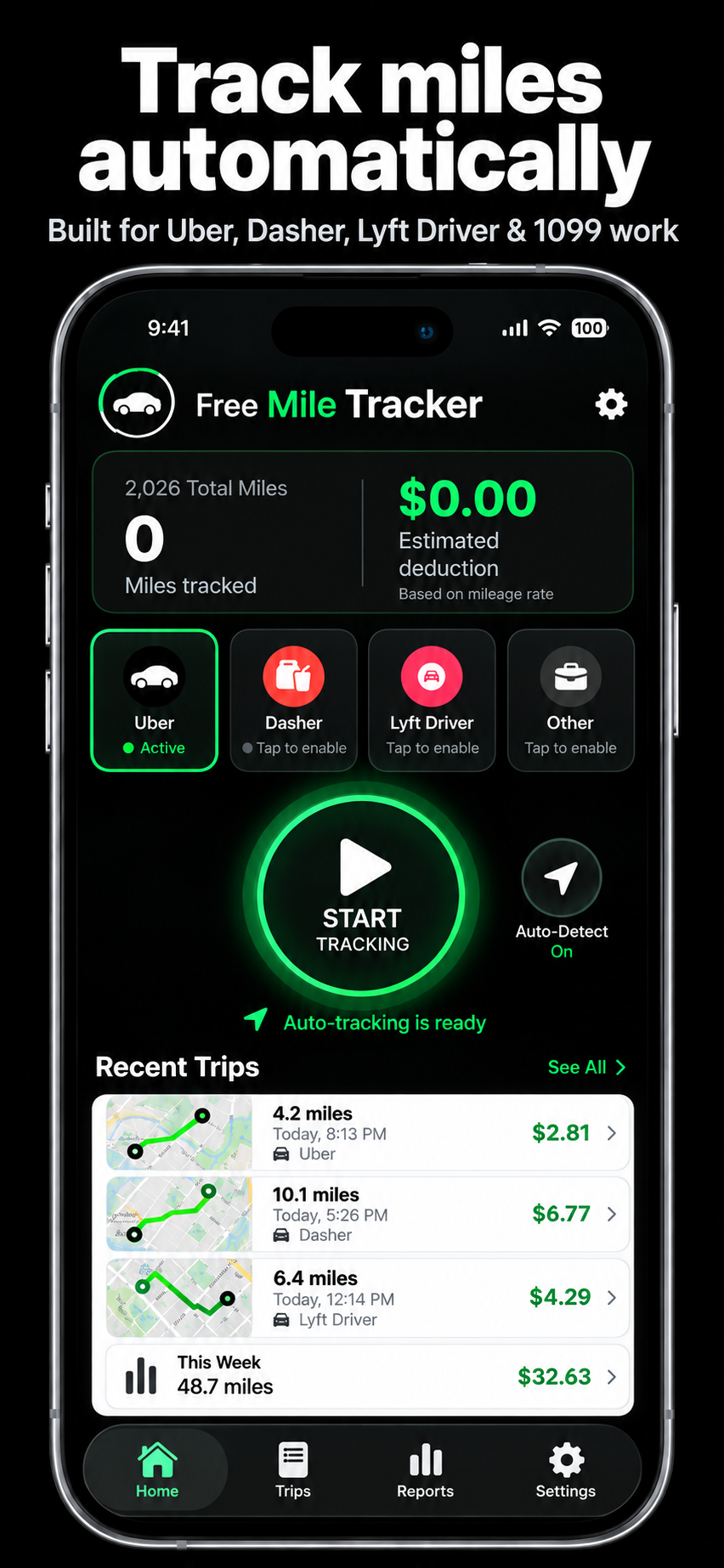
One tracker. Whatever you drive for.
UberDoorDashLyftInstacartAmazon Flex1099 workSwitch between driving platforms without switching between apps. Keep your trips, earnings, expenses and vehicle records together.
Automatic driving detection and manual tracking help capture business trips. Review your routes, add notes and organize trips by service.
Record earnings, fuel and other driving expenses. PRO insights help you understand net earnings and the cost of each mile.
Save vehicle details, log odometer readings and track oil changes, tires, brakes and custom services with maintenance tools.
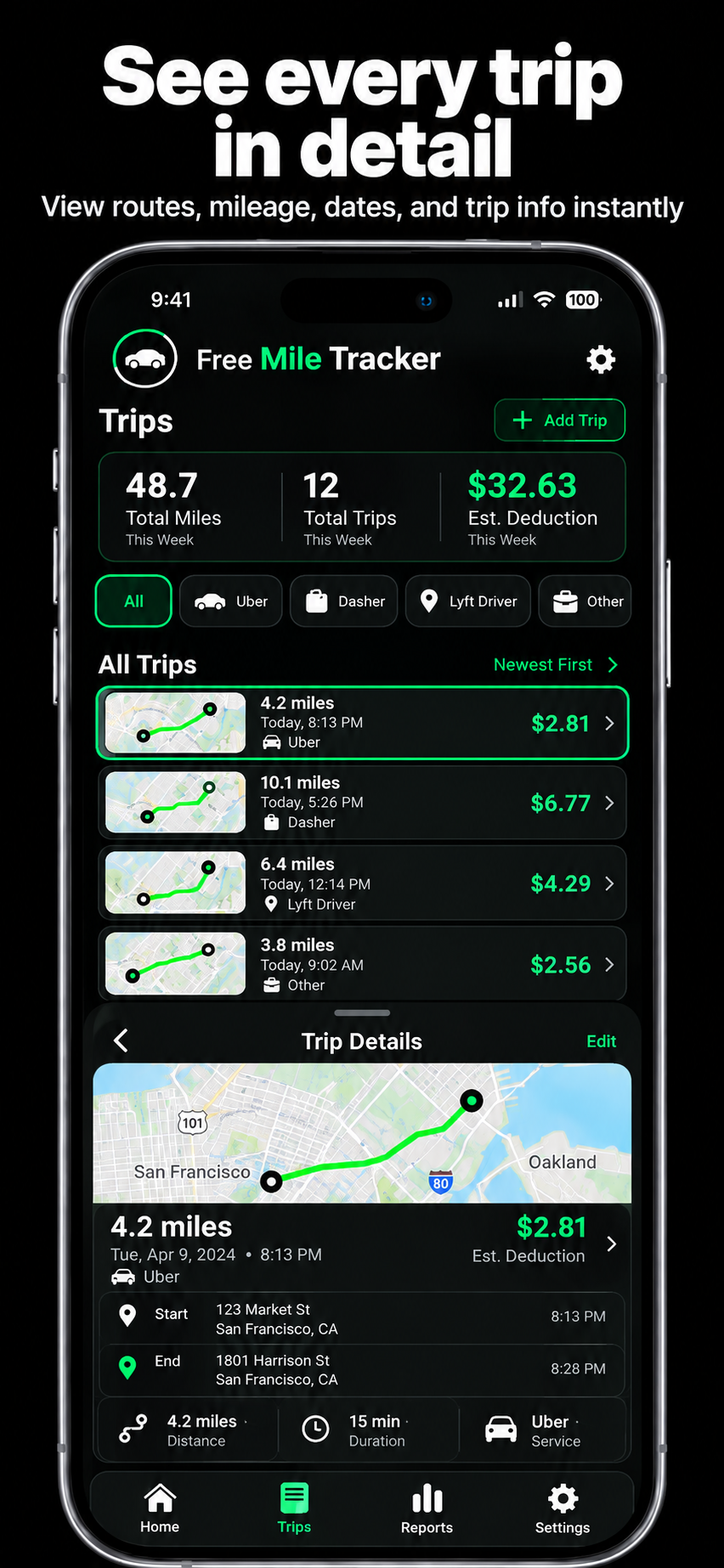
Review routes, mileage, dates and driving services. Keep your work trips organized and find the details you need.
Tap the screenshot to enlarge.
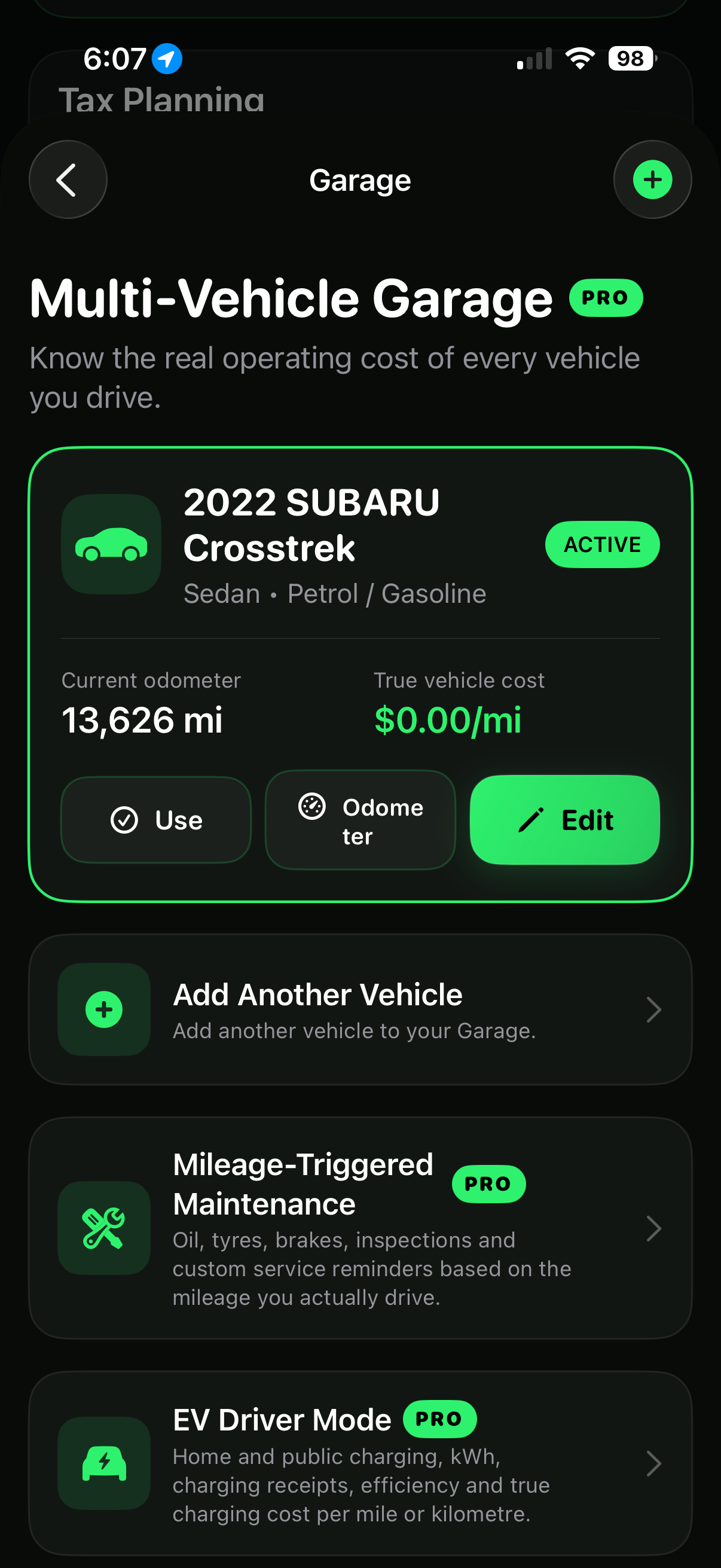
Manage vehicle records, odometer readings and mileage-based service reminders. Add your VIN to help identify your vehicle.
Tap the screenshot to enlarge.
A mileage tracker for rideshare drivers, delivery drivers and self-employed professionals. Start with free trip records, then choose the tools that help you manage your earnings and your vehicle.
Turn on Auto-Detect to recognize driving using iPhone motion and GPS signals. Trips start after sustained driving is detected and end after a confirmed stop. Background recording works with the required permissions, including while your screen is locked. Free includes 30 automatic trips per month; Full PRO removes the limit.
Start and stop a trip yourself whenever you need to. Review trip routes, dates, mileage and notes, then export a CSV mileage log. The core app has no ads and requires no account.
Organize miles under Uber, DoorDash, Lyft or Other. Siri and Shortcuts can set your gig service and enable tracking. You choose the service; the app detects driving rather than reading another app’s activity.
Track driving expenses and receipt photos alongside earnings. Import supported platform CSV statements, review earnings matches, and explore net earnings, cost per mile and unpaid driving miles.
Keep vehicle and VIN details, odometer readings and service history together. Set editable mileage-based reminders for oil changes, tires, brakes and custom services. Full PRO also includes EV charging and driving-cost tools.
Export PDF driving summaries and supporting trip and receipt records. Explore your own best hours, zones and platforms using your recorded history. Miles or kilometers and local currency settings support drivers in different regions.
Features vary by plan. Automatic tracking depends on permissions, phone settings and signal conditions; review recorded trips for completeness. The app is coming soon, with final availability shown at release.
Free Mile Tracker Full PRO is planned at $2.99/month, including unlimited automatic trips, profit insights, receipt records and vehicle maintenance tools.
Planned monthly price
Monthly billing
Monthly billing
Get 30 automatically detected trips each month, unlimited manual mileage tracking, trip routes and free CSV exports for $0. The automatic trip allowance resets every month. Optional PRO tools are available separately.
| Plan detail | Free Mile Tracker | MileIQ | Everlance |
|---|---|---|---|
| Paid plan compared | Full PRO | Unlimited | Starter |
| Pay monthly | $2.99 / month Planned price | $13.99 / month | $10.99 / month |
| Choose annual billing | $24.99 / year About $2.08 / month; planned price | $11.66 / month equivalent Billed annually | $89.99 / year About $7.50 / month |
| Unlimited automatic trips on paid plan | Included | Included | Included |
| Automatic trips on free plan | 30 / month Plus unlimited manual tracking and CSV exports | 40 / month | 30 / month |
Prefer annual billing? Our planned Full PRO price is $65 less per year than Everlance Starter—about 72% lower.
U.S. individual pricing checked October 4, 2026 from MileIQ and Everlance. Monthly savings compare monthly-billed plans; annual savings compare annual-billed plans. Free Mile Tracker prices are planned and subject to App Store approval. Competitor plans offer different features and services; this comparison covers selected pricing and trip allowances. Prices may change.
A payout is only one part of the story. Fuel, charging and other driving costs change what you take home.
Try a simple example here. In the app, keep the underlying earnings and expense records together.
Illustrative estimate before taxes. Only includes costs you enter; it does not calculate depreciation or tax deductions.
Start with the free plan. Choose maintenance tools on their own, or unlock the complete driving toolkit with Full PRO.
No subscription required
For getting your mileage organized.
or $1.99/month
For drivers who want vehicle tools.
or $2.99/month
For the bigger picture of your driving.
Paid plans are optional auto-renewing subscriptions. Planned U.S. App Store pricing in USD. Final prices and available features are shown in the app before purchase; prices may vary by region.
Yes. The free plan includes manual tracking, mileage history, trip maps, CSV exports and up to 30 automatically detected trips per month. Maintenance+ and Full PRO are optional paid subscriptions.
Yes. Organize trips for multiple rideshare and delivery platforms, or use an Other category for contract work, real estate visits and other business driving.
Enable Auto-Detect and the required Motion and Location permissions. The app uses sustained GPS movement and motion signals to start a trip, then ends it after a confirmed stop. Always Location supports background recording while the screen is locked. Free includes 30 automatic trips per month; Full PRO includes unlimited automatic trips. Review trips regularly because phone settings and signal conditions can affect recording.
The app detects driving, not whether another app is open or whether you have accepted a job. Choose your driving service in the app or with Siri and Shortcuts, enable Auto-Detect, and review your trip classifications afterward.
Free Mile Tracker brings trip logs, multi-platform driving categories and free CSV exports together with optional profit insights, receipt records, vehicle maintenance reminders and EV driving-cost tools. Compare the free trip limits and planned subscription prices above to choose what fits your driving.
CSV export is available in the free plan. Full PRO adds PDF reports and additional expense and reporting tools. Keep trip purposes and supporting records complete for your own reporting needs.
Vehicle and VIN details help identify your car. Maintenance tools let you record services and set reminders. Exact manufacturer-backed schedules depend on verified data coverage; use your owner's manual for your vehicle's official requirements.
No account is required for the core app. Trip records are stored locally on your iPhone. Export important records and review the privacy policy for details about optional features.
Mileage, expenses and car maintenance. Built for the work you do behind the wheel.
Coming soon. Store buttons will be activated when download links are available.